PDFMaker

Write inMarkdown.Convert To Beautiful PDFs

PDFMaker transforms plain Markdown into print-quality PDFs with stunning typography โ€” in seconds, not hours.

Start Writing Free
MC
SK
AF
PN
TO
4.9

10,000+ writers & developers worldwide

0+

Active Users

0K+

PDFs Exported

0.0โ˜…

User Rating

See It In Action

From Markdown to Pixel-Perfect PDF

No complex configuration needed. Your markdown document automatically translates into a stunning, professional PDF in seconds.
input.md
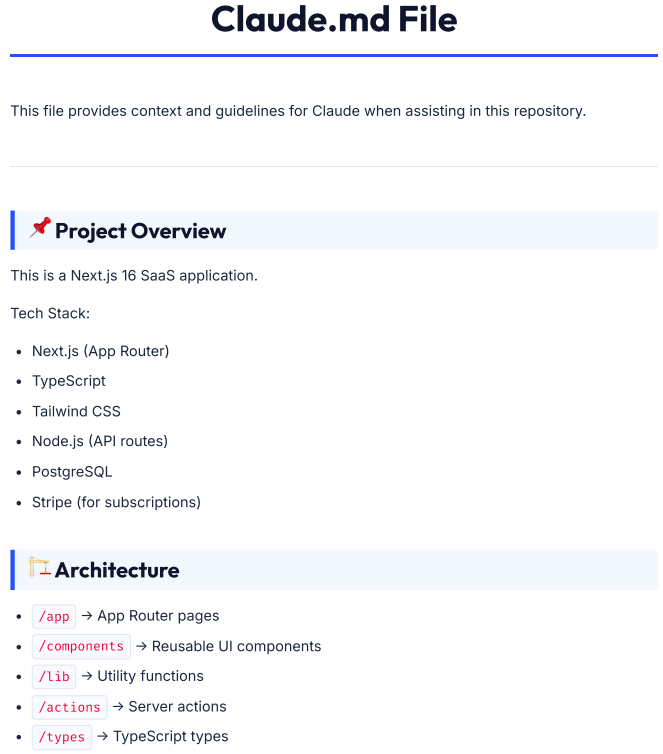
# Claude.md File

This file provides context and guidelines for Claude when assisting in this repository.

---

## ๐Ÿ“Œ Project Overview

This is a Next.js 16 SaaS application.

Tech Stack:
- Next.js (App Router)
- TypeScript
- Tailwind CSS
- Node.js (API routes)
- PostgreSQL
- Stripe (for subscriptions)

## ๐Ÿ— Architecture

- `/app` โ†’ App Router pages
- `/components` โ†’ Reusable UI components
- `/lib` โ†’ Utility functions
- `/actions` โ†’ Server actions
- `/types` โ†’ TypeScript types
output.pdf
A4 Output
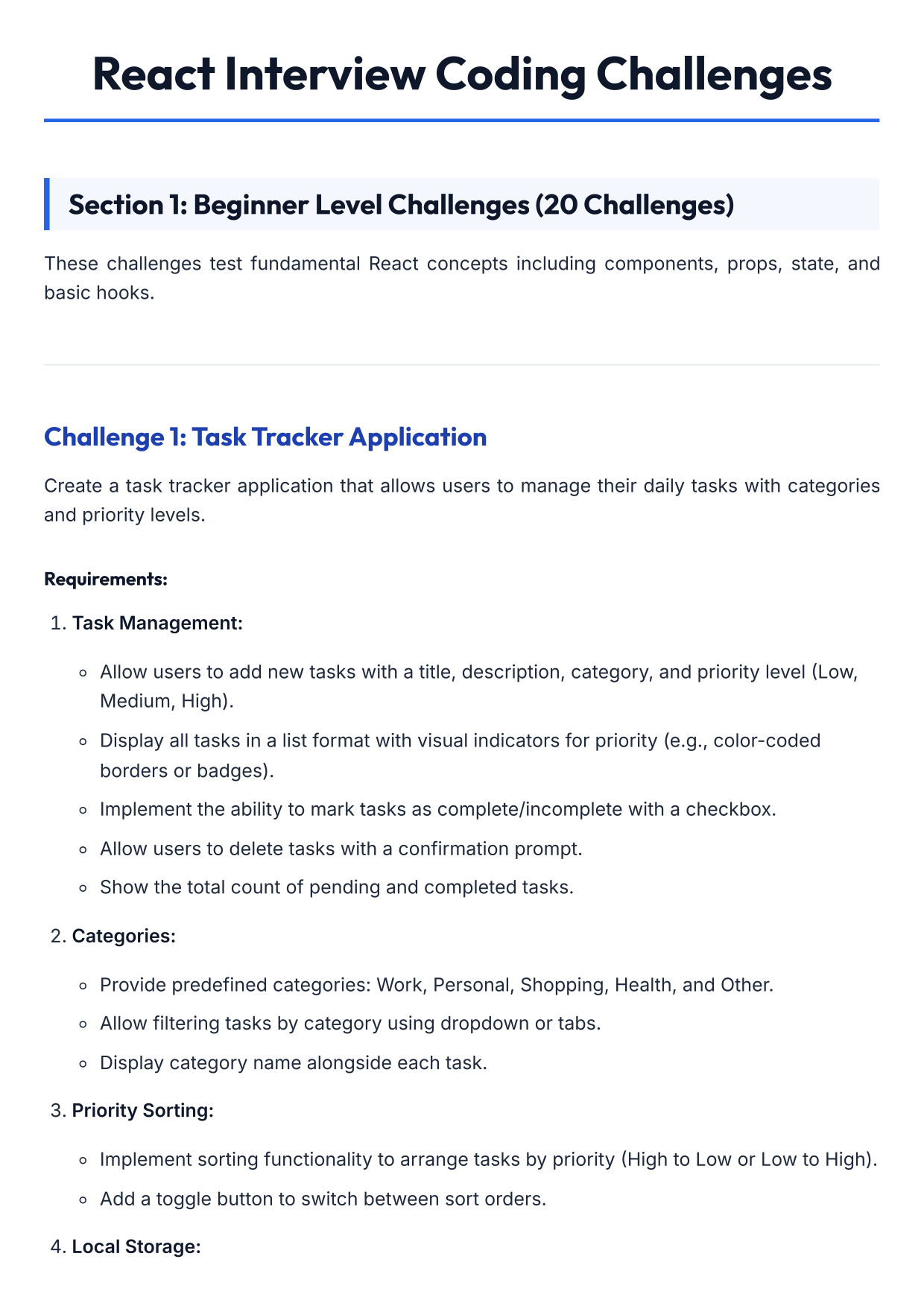
Converted PDF Output Demo 0
input.md
# React Interview Coding Challenges

## Section 1: Beginner Level Challenges (20 Challenges)

These challenges test fundamental React concepts including components, props, state, and basic hooks.

---

### Challenge 1: Task Tracker Application

Create a task tracker application that allows users to manage their daily tasks with categories and priority levels.

#### Requirements:

1. **Task Management:**
   - Allow users to add new tasks with a title, description, category, and priority level (Low, Medium, High).
   - Display all tasks in a list format with visual indicators for priority (e.g., color-coded borders or badges).
   - Implement the ability to mark tasks as complete/incomplete with a checkbox.
   - Allow users to delete tasks with a confirmation prompt.
   - Show the total count of pending and completed tasks.

2. **Categories:**
   - Provide predefined categories: Work, Personal, Shopping, Health, and Other.
   - Allow filtering tasks by category using dropdown or tabs.
   - Display category name alongside each task.

3. **Priority Sorting:**
   - Implement sorting functionality to arrange tasks by priority (High to Low or Low to High).
   - Add a toggle button to switch between sort orders.

4. **Local Storage:**
  
output.pdf
A4 Output
Converted PDF Output
input.md
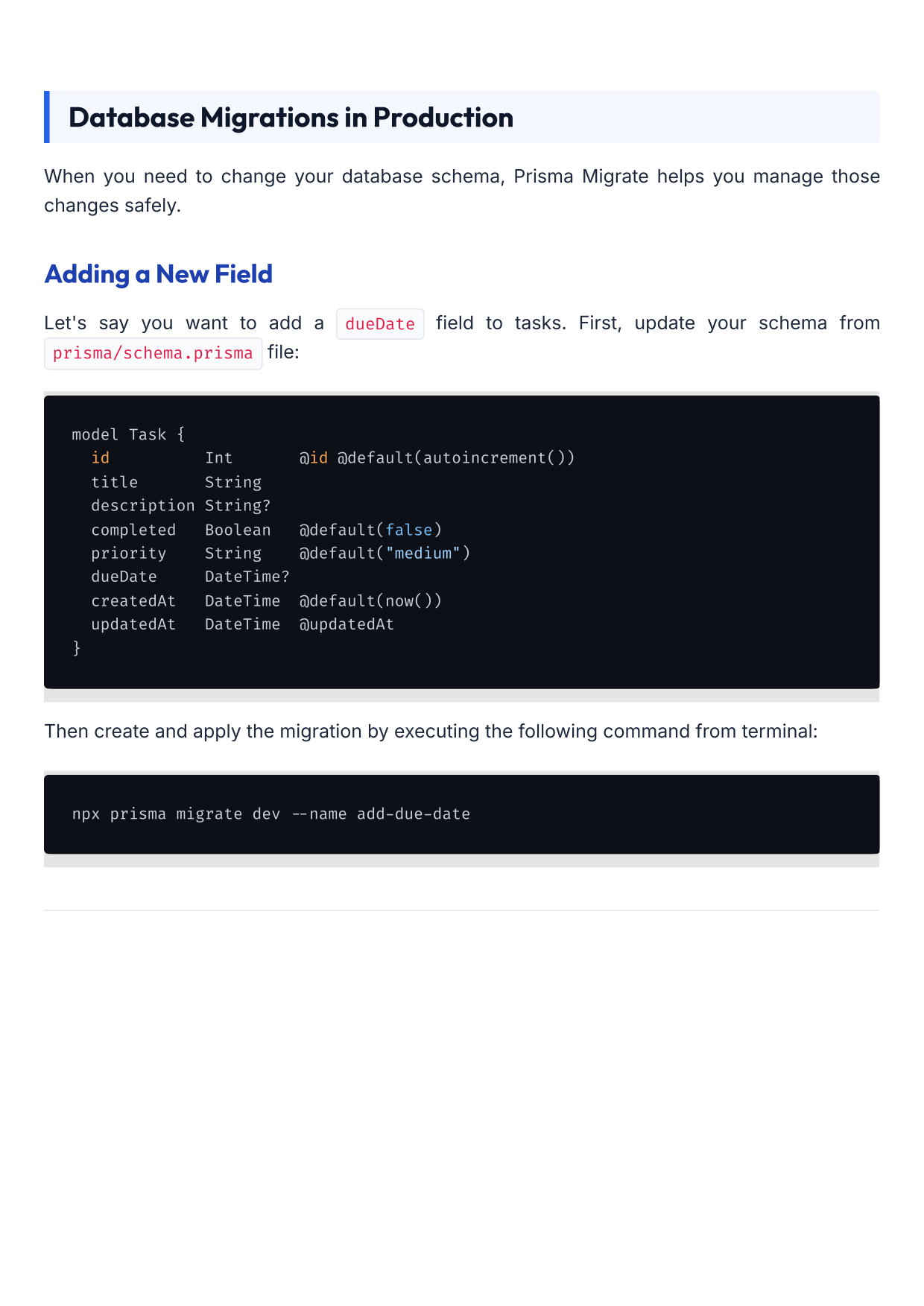
## Database Migrations in Production

When you need to change your database schema, Prisma Migrate helps you manage those changes safely.

### Adding a New Field

Let's say you want to add a `dueDate` field to tasks. First, update your schema from `prisma/schema.prisma` file:

```bash
model Task {
  id          Int       @id @default(autoincrement())
  title       String
  description String?
  completed   Boolean   @default(false)
  priority    String    @default("medium")
  dueDate     DateTime? 
  createdAt   DateTime  @default(now())
  updatedAt   DateTime  @updatedAt
}
```

Then create and apply the migration by executing the following command from terminal:

```bash
npx prisma migrate dev --name add-due-date
```
---

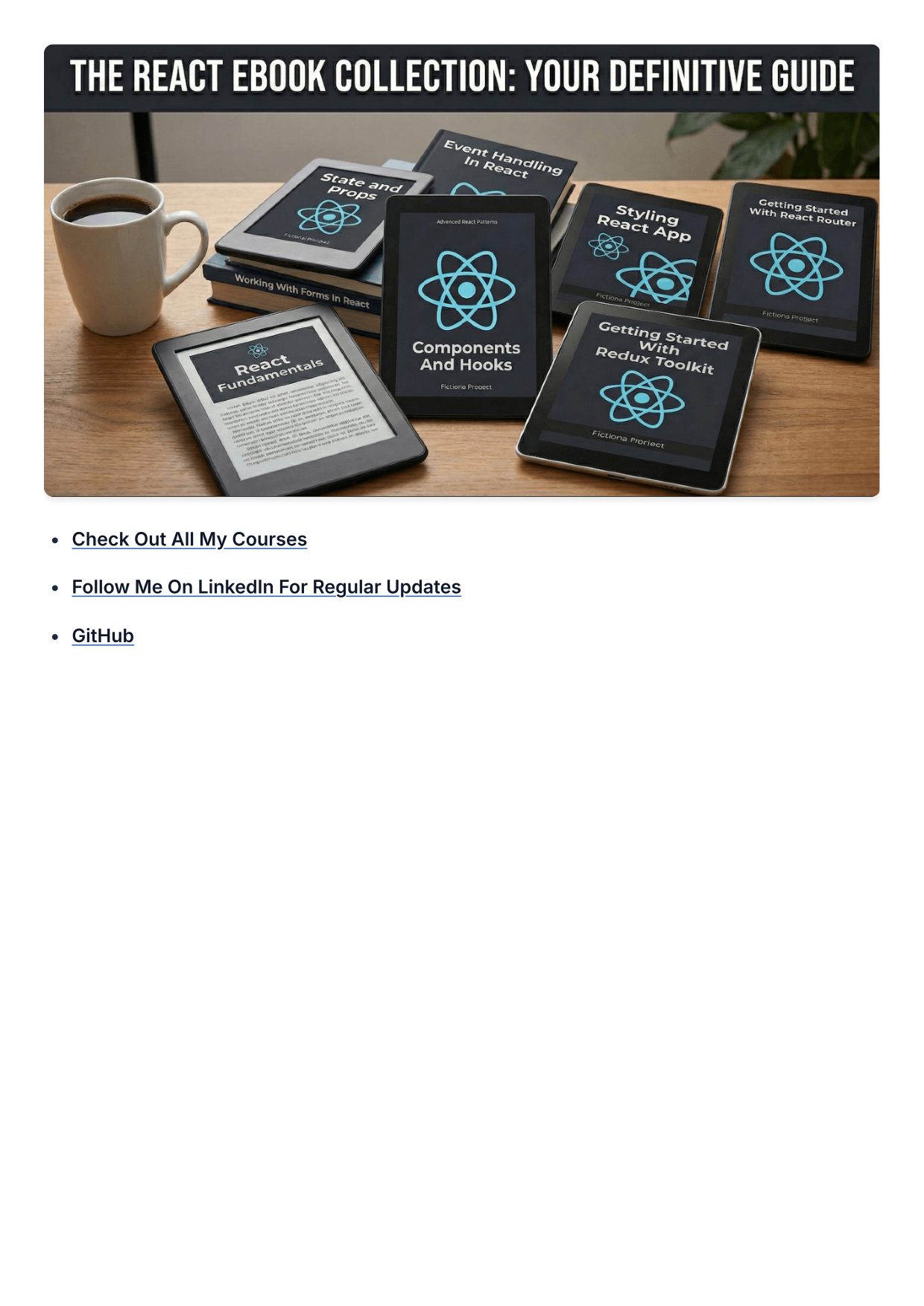
[![React Ebooks Collection](https://dev-to-uploads.s3.amazonaws.com/uploads/articles/dt00waa0e5sb77xdckwz.png)](https://courses.yogeshchavan.dev/the-ultimate-react-ebooks-components-hooks-redux-routing-and-more)

* [**Check Out All My Courses**](https://courses.yogeshchavan.dev/)
    
* [**Follow Me On LinkedIn For Regular Updates**](https://www.linkedin.com/in/yogesh-chavan97/)
    
* [**GitHub**](https://github.com/myogeshchavan97).
output.pdf
A4 Output (2 Pages)
Converted PDF Output Page 1Converted PDF Output Page 2
input.md
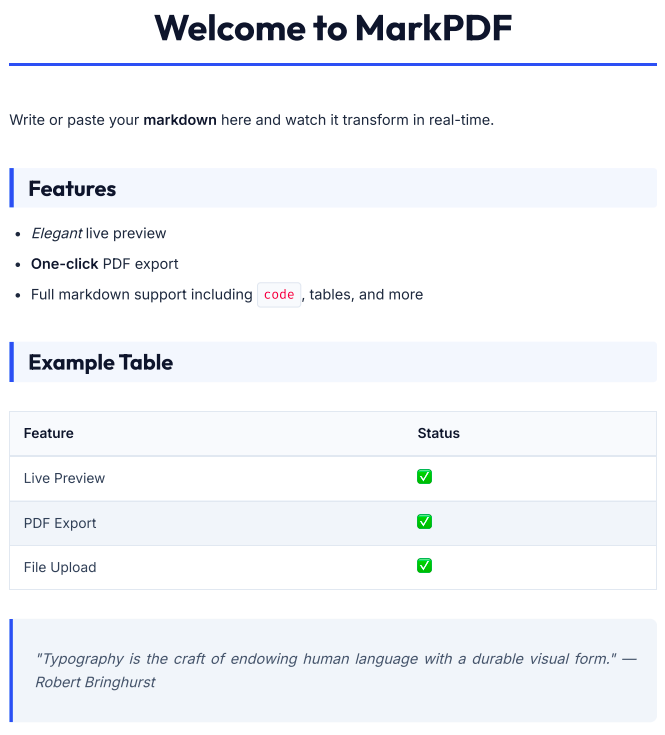
Write or paste your **markdown** here and watch it transform in real-time.

## Features

- *Elegant* live preview
- **One-click** PDF export
- Full markdown support including `code`, tables, and more

## Example Table

| Feature | Status |
|---------|--------|
| Live Preview | โœ“ |
| PDF Export | โœ“ |
| File Upload | โœ“ |

> "Typography is the craft of endowing human language with a durable visual form."
> โ€” Robert Bringhurst
output.pdf
A4 Output
Converted PDF Output 3

Why PDFMaker

Built for people who
care about craft.

Hyper-Responsive Live Preview

Real-time

Watch your document come alive as you type. Our rendering engine mirrors your output with zero delay โ€” no more save-and-refresh cycles ever again.

GFM+

MARKDOWN

A4 PDF

OUTPUT

Lightning-Fast Export

Convert markdown documents (up to 5MB) to PDF instantly with pixel-perfect precision.

Privacy by Design

Your documents are never stored. Everything happens securely and your words stay entirely yours, always.

Universal Markdown

Upload any .md file, paste GitHub README content, or any of your article markdown content. Works with every Markdown flavor out of the box.

Testimonials

Loved by 10,000+ creators.

From solo developers to Fortune 500 teams โ€” writers and engineers trust PDFMaker every single day.

PDFMaker completely replaced my old workflow. I used to spend 30 minutes formatting every single report. Now it's literally 30 seconds. The PDF quality is indistinguishable from professionally typeset documents.

MC

Marcus Chen

Technical Writer ยท Stripe

5.0

The GFM support is rock solid. Tables, code blocks, everything renders perfectly. And the export is genuinely fast โ€” it feels instantaneous.

JS

Julia Schmidt

Data Scientist ยท Anthropic

5.0

Dropped Pandoc + LaTeX for this. Never looking back.

RT

Rei Tanaka

Research Engineer ยท DeepMind

5.0

I use PDFMaker for all my client proposals now. The output looks incredibly polished and professional โ€” clients always ask which tool I used to produce such beautiful documents.

AF

Alex Fontaine

Freelance Designer ยท Independent

5.0

Finally, a tool that actually respects your time. The typography choices in the output PDFs are genuinely beautiful. Worth every single penny.

TO

Tom Okafor

Product Manager ยท Notion

5.0

Our team writes all internal specs in Markdown. PDFMaker makes sharing with stakeholders effortless โ€” no 'can you send me a PDF' messages anymore.

LV

Lena Vogel

Engineering Lead ยท Figma

5.0

How it works

Three steps. Zero friction.

STEP 01

Write or Upload

Type directly in the live editor or drag-and-drop any .md file. PDFMaker handles every Markdown dialect โ€” no configuration needed.

STEP 02

Refine in Real-time

Watch your formatted document update as you edit โ€” adjust headings, fix tables, and iterate instantly with zero reload latency.

STEP 03

Export Instantly

Click Download and receive a beautiful, print-ready PDF within seconds.

FAQ

Common questions.

Yes! Start for free with up to 3 PDF downloads. For unlimited exports and premium features, upgrade to our Pro plan with just $10 per month fee.

Privacy is our highest priority. Your documents are processed ephemerally on isolated server instances and are never saved, indexed, or analyzed. What you write stays yours.

Full GitHub-Flavored Markdown (GFM) including tables, task lists, strikethrough, fenced code blocks with syntax highlighting.

Upload any .md or .markdown file via drag-and-drop or file picker, or simply paste content directly into the editor.

Get Started Today

Your documents
deserve better.

Join 10,000+ writers and developers who've already made the switch to PDFMaker.

Free to Start No Credit Card Professional PDFs Privacy First